Download & Setup
Get Imposter running on your machine in under 60 seconds. One installer, no sign-up, completely local.
Install & Launch
- 1.Download the installer and run it. Follow the on-screen prompts — default settings work fine.
- 2.Imposter launches in Stealth Mode by default — invisible in taskbar, always on top, content-protected.
- 3.Complete the quick onboarding: enter your display name and an optional system prompt override.
Connect an AI Provider
Imposter supports multiple AI providers. You can use it fully offline with Ollama, or connect to cloud models via OpenRouter. All API keys are stored locally on your machine — never sent to Imposter servers. Click here for a detailed guide.
Ollama (Local / Offline)
Ollama runs AI models locally on your machine. Zero internet required.
- 1. Install Ollama from https://ollama.com
- 2. Pull a model:
ollama pull llama3 - 3. That's it. Imposter auto-detects all local Ollama models on startup.
OpenRouter (Cloud)
OpenRouter gives you access to hundreds of models (including free-tier options). Your API key stays local.
- 1. Create an account at https://openrouter.ai
- 2. Generate an API key at https://openrouter.ai/keys
- 3. In Imposter, go to Settings → Models → Add New Model
- 4. Select OpenRouter as provider, paste your key, and enter the model ID
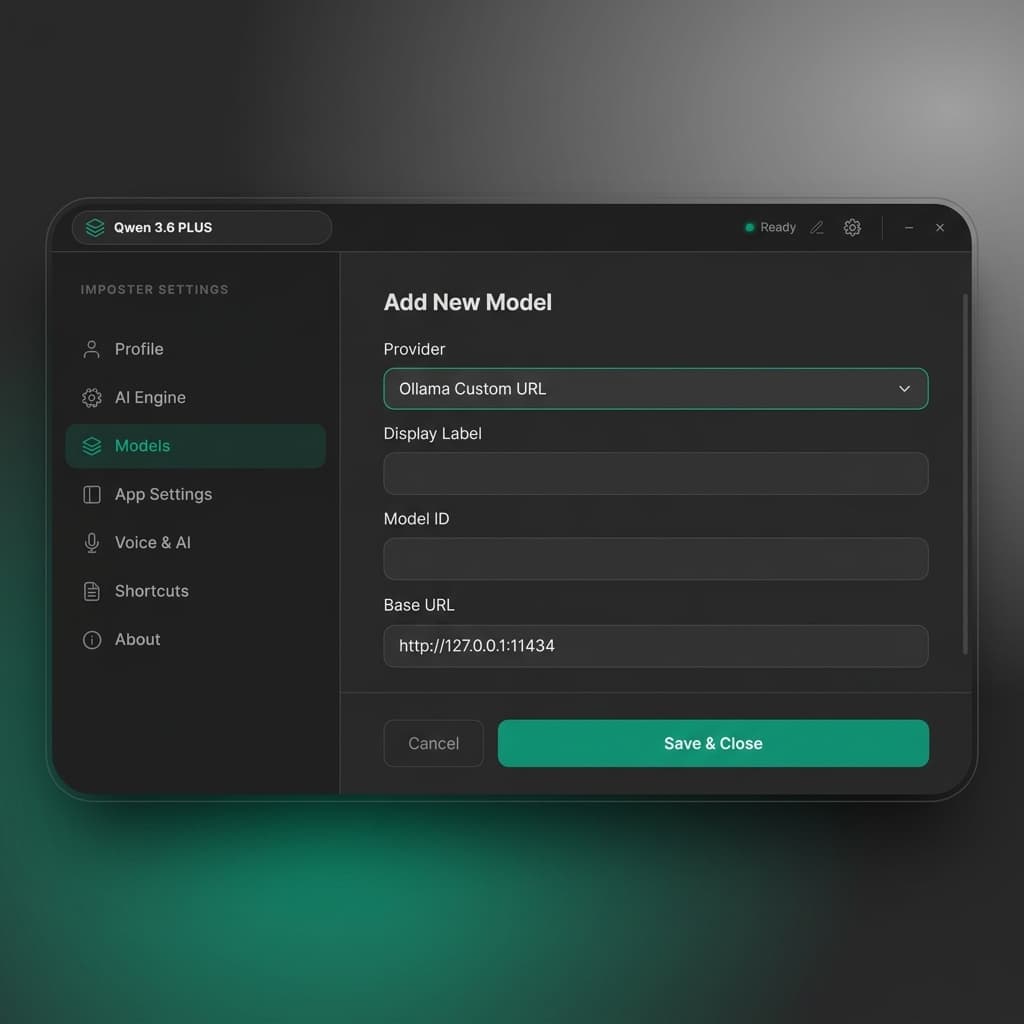
Settings → Models — Add any OpenRouter or Ollama model
Enable Live Voice Transcription
(Optional)Real-time voice transcription is powered by AssemblyAI. This feature captures system audio (what your speakers/headphones output) and transcribes it live in the Dynamic Island overlay.
- 1. Create a free account at https://www.assemblyai.com
- 2. Get your API key from your dashboard
- 3. In Imposter, go to Settings → Voice & AI
- 4. Paste your API key and click Test Connection to verify
- 5. Press Ctrl+Shift+B to start recording
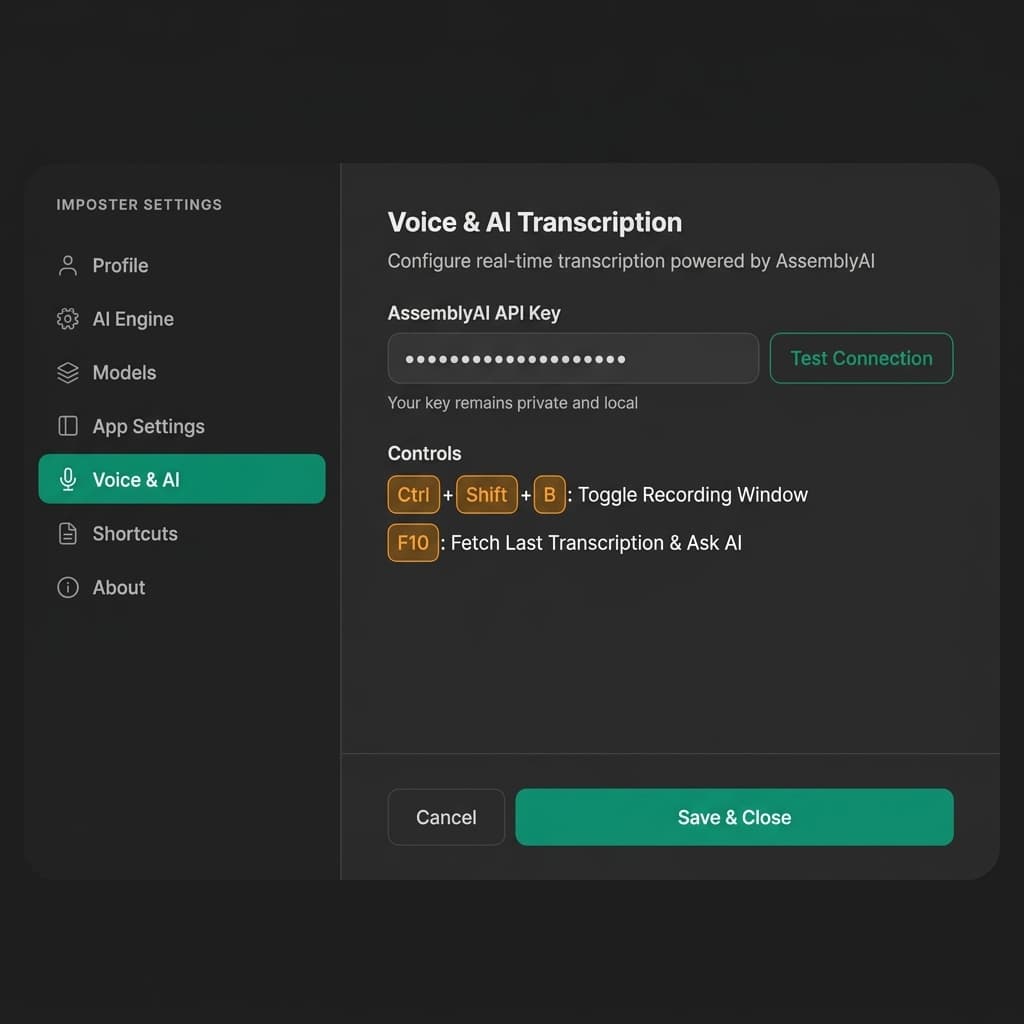
Settings → Voice & AI — Configure AssemblyAI for live transcription
Coming Soon
More providers are on the way. Just add your API key in Settings — Imposter handles the rest.